Stand up a mock API before the backend exists
Run a mock HTTP server on your own machine, backed by the response examples already in your collection, or generated straight from an OpenAPI spec. No cloud to provision, no deploy to wait on.
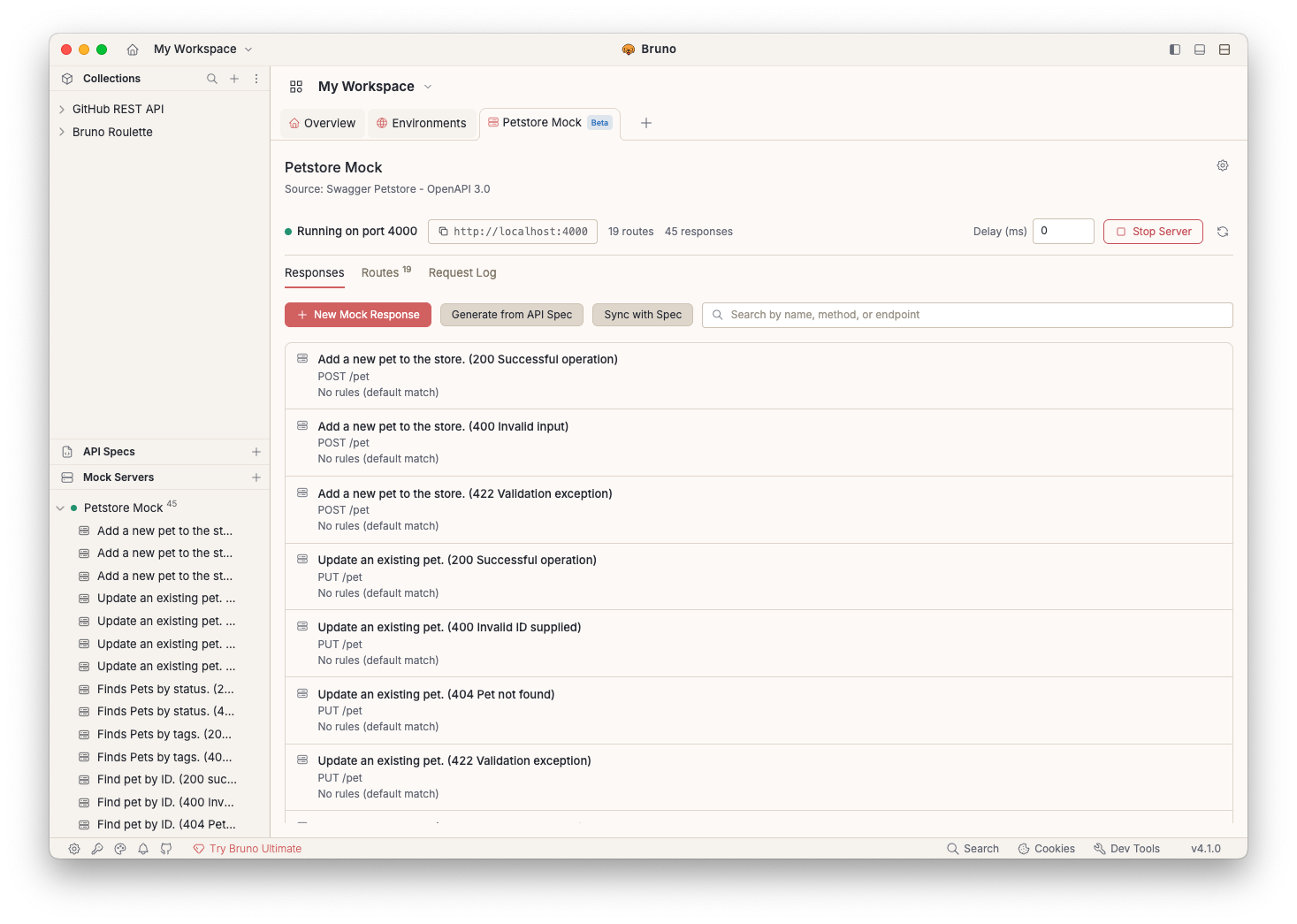
Use what you already have
A mock is only useful if it stays honest. Bruno builds one out of artefacts you already maintain, so it keeps matching the API it stands in for.
Sync with Examples
Every saved example in the linked collection becomes a mock response: method, path, status, headers, and body. Re-sync whenever the examples change.
Generate from API Spec
Point the server at a file under API Specs and Bruno turns each OpenAPI operation into a route with a response you can edit.
Write them by hand
Run standalone with no linked source and add responses yourself: method, path, status, headers, and body, straight in the Responses tab.
A mock server that behaves like the rest of your repo
Local-first by default
The server binds to http://localhost:<port> on your machine. Nothing is hosted, nothing is shared upstream, and it works with the network off.
Mocks live in the collection
Mock servers are saved as plain .yml files under workspace/mocks/. Clone the repo and you get the same mocks, with no separate service to stand up or share credentials for.
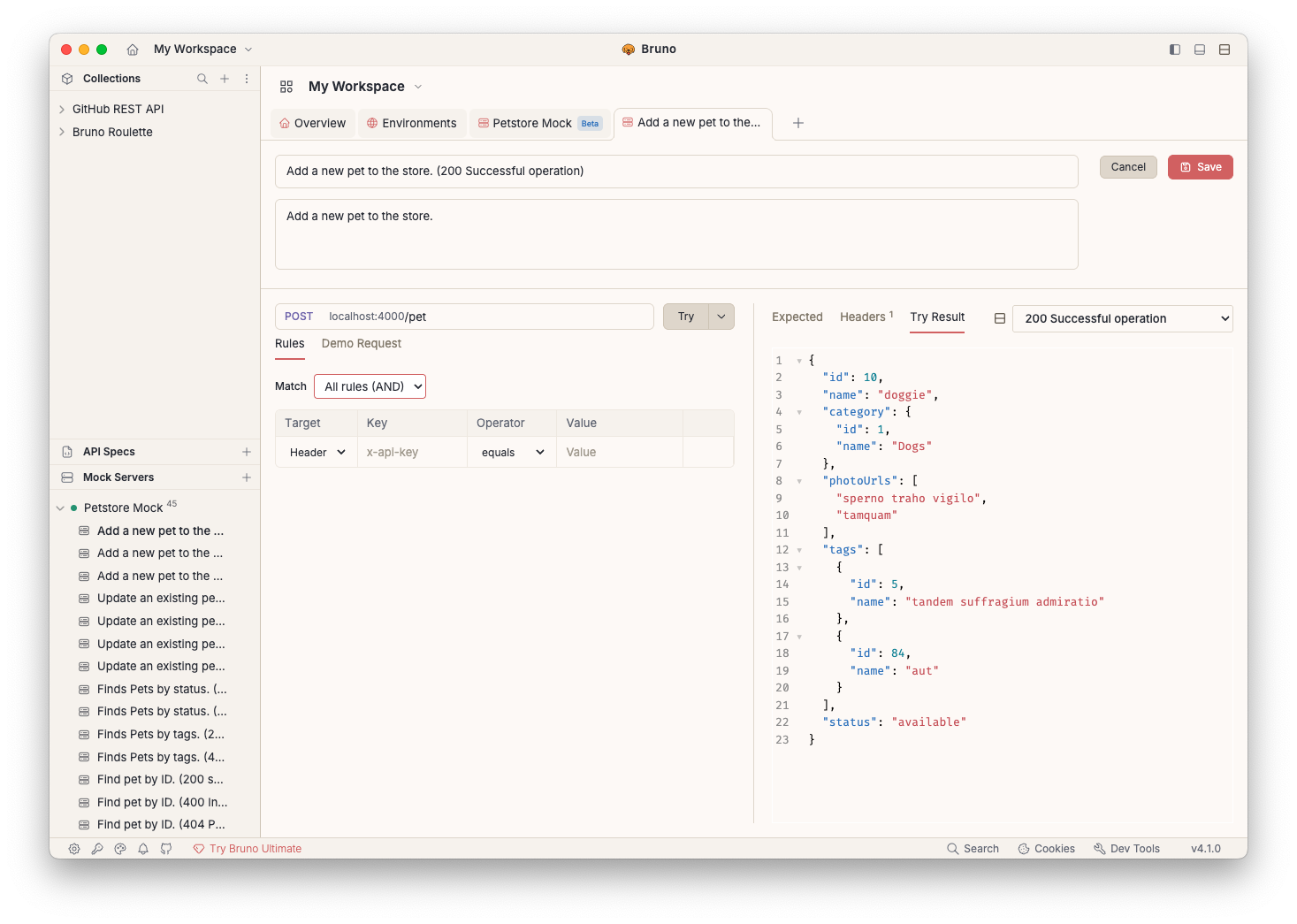
Rules pick the right response
Several responses can share a method and path. Rules on headers, query parameters, or the body decide which one comes back: admin versus guest, valid versus rejected.
Ready for the browser
CORS is on by default and OPTIONS preflights return 204 with the right headers, so a frontend can call the mock without a proxy in front of it.
One route, every scenario
Give a response a target, key, operator, and value, then choose whether all rules must match or any one will do. The happy path, the validation error, and the empty list can all live on the same endpoint.
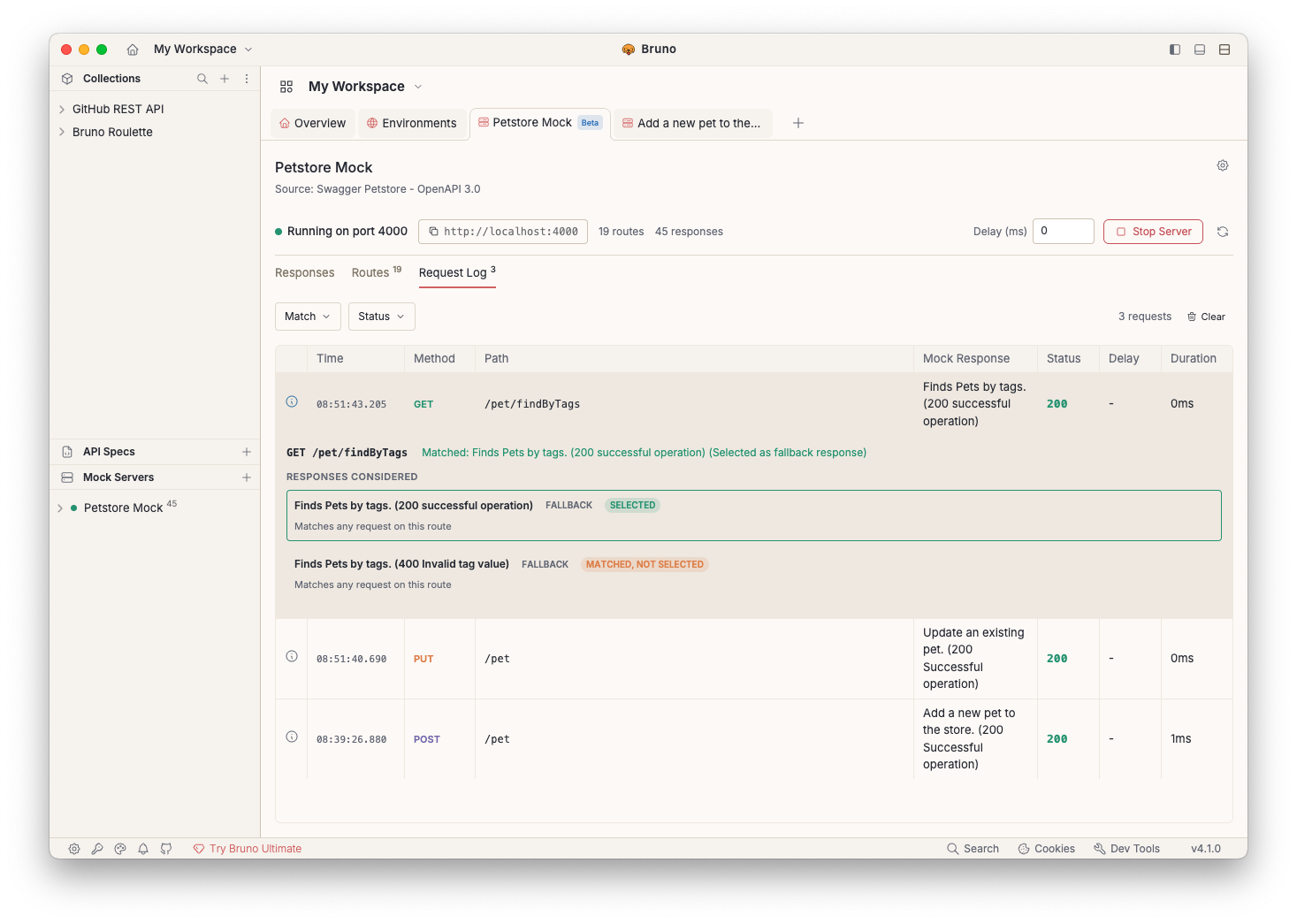
A request log that explains its own decisions
The Routes tab lists every registered method and path with its response count and hit count. The Request Log records live traffic, and the Match Trace Inspector shows exactly which rules were evaluated and why one response won.
Four steps to a running mock
Turn the beta on
Mock Servers live behind Preferences → Beta → Mock Server while the feature is in beta.
Create the server
In the Mock Servers sidebar, click +, name it, and either link a collection or API spec, or leave it standalone.
Fill in the responses
Sync with Examples, Generate from API Spec, or add a New Mock Response and write the payload yourself.
Start the server
Hit Start Server, copy the base URL, and point your frontend, tests, or teammates at it.
Mock Servers are in beta. Closing Bruno stops every running mock, and restarting Bruno does not start them again. Each server is started deliberately so nothing quietly claims a port. The request log keeps the most recent 500 entries per server, in memory only.
Explore the complete suite
API Client
The desktop app where collections, examples and environments live.
Explore API ClientCLI
Automate API testing and integrate with your CI/CD pipeline.
Explore CLIIDE Extension
Test APIs in VS Code, Cursor, Windsurf and more.
Explore IDE ExtensionAPI Documentation
Publish the same collection as an interactive HTML docs site.
Explore API DocumentationStop waiting on the backend
Spin up a mock from the examples you've already saved, and get your frontend moving today.