Beautiful API docs, generated from your collection
Turn any Bruno collection into a standalone, interactive HTML documentation site, with code samples, tests, and a live playground included. Self-host it anywhere, or share a single file.
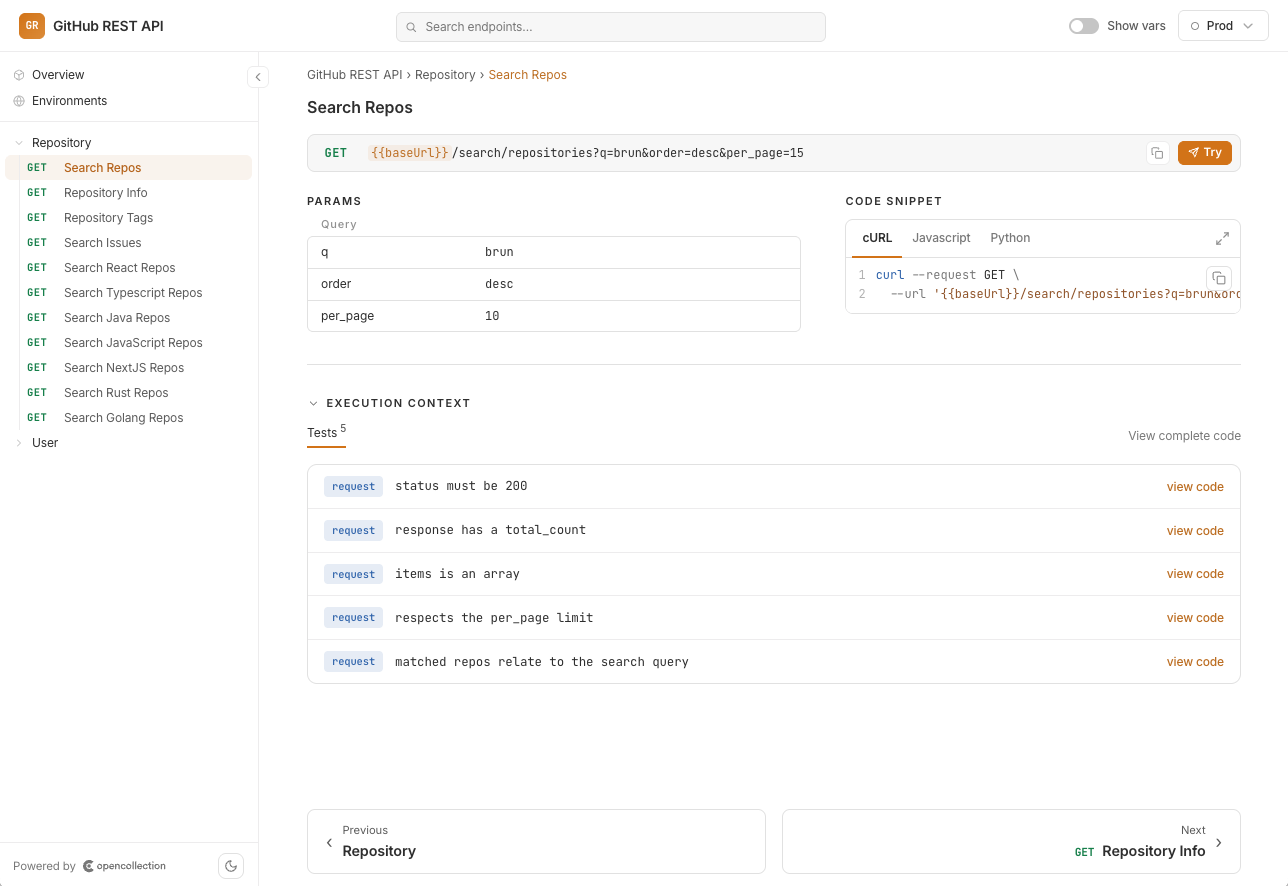
Docs that stay in sync with your API
Generated from your collection
Nested folders, requests, environment variables, and metadata, rendered straight from your collection structure. No separate spec to maintain.
Code samples, ready to copy
Every request comes with cURL, Python (requests), and JavaScript snippets, so consumers can call your API in seconds.
Tests & scripts, in context
Pre-request scripts, post-response logic, and test assertions are shown inline: the full behaviour of each request, documented.
Live “Try It Out” playground
Readers can edit parameters, headers, body, and scripts, then execute requests live and see responses, right from the docs.
One HTML file. Host it wherever you want.
The output is a single self-contained file. No build step, no runtime, no third-party docs service holding your API hostage. Your docs, your infrastructure.
Three steps to published docs
Open Collection Settings
Head to the Documentation section and click Generate Docs.
Click Generate
Bruno renders your whole collection into an interactive HTML file.
Host or share it
Deploy the file to any static host, or send it to your team.
Explore the complete suite
API Client
The desktop app where collections, examples and environments live.
Explore API ClientCLI
Automate API testing and integrate with your CI/CD pipeline.
Explore CLIIDE Extension
Test APIs in VS Code, Cursor, Windsurf and more.
Explore IDE ExtensionMock Servers
Mock an API from your saved examples or an OpenAPI spec.
Explore Mock ServersPublish docs your team will actually use
Generate a beautiful, self-hosted API docs site from your collection, in one click.