Automate API testing in your pipeline
Run your API collections from the command line. Integrate with CI/CD, generate reports, and ship with confidence on every deploy.
Quick installation
NPM
Homebrew
Docker
Built for automation
CI/CD integration
Works with GitHub Actions, GitLab CI, Jenkins, CircleCI, and any platform that runs a shell command.
Detailed reporting
Generate HTML, JSON, and JUnit reports. Export results into your monitoring and alerting systems.
Parallel execution
Run tests in parallel to save time. Supports CSV iterations and concurrent collection runs.
Full test support
Run complete collections with all tests, assertions, scripts, environments, and variables intact.
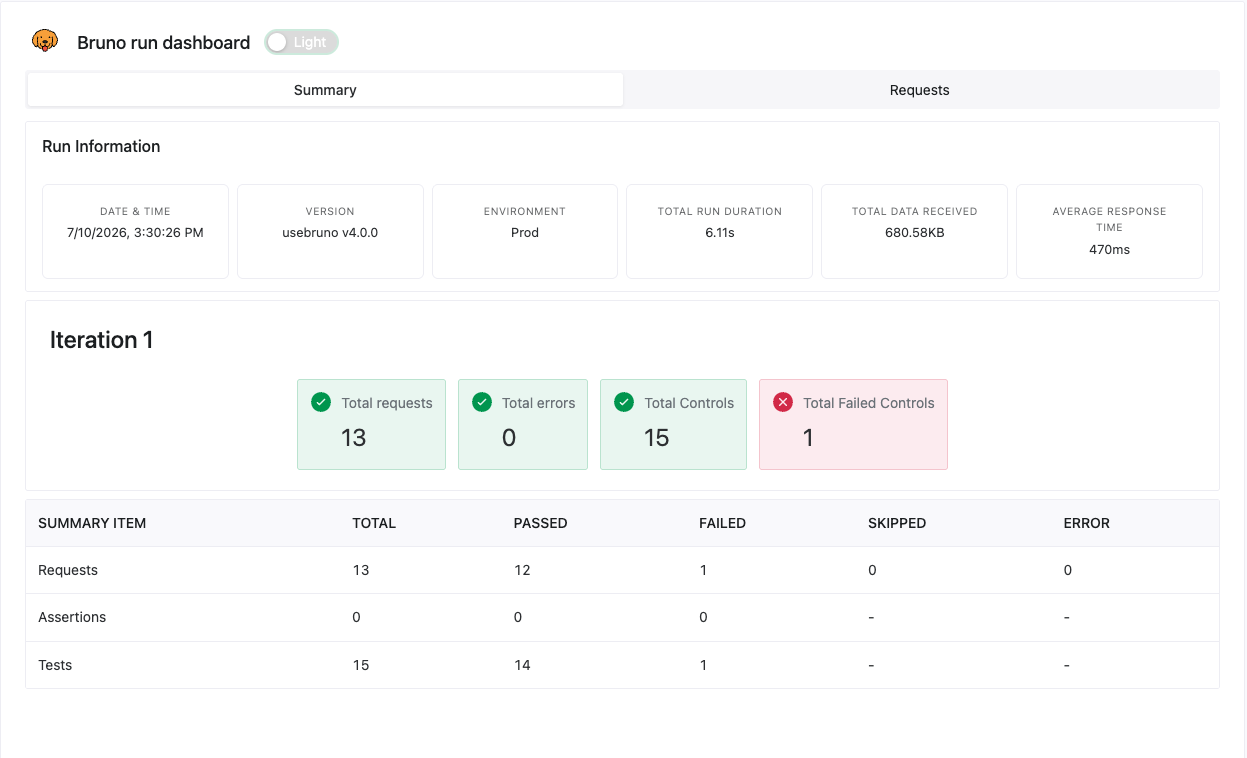
Reports your whole team can read
Every run produces a shareable report, perfect for pull-request checks, nightly runs, and the status update leadership actually asks for.
Simple, powerful commands
Explore the complete suite
API Client
The desktop app where collections, examples and environments live.
Explore API ClientIDE Extension
Test APIs in VS Code, Cursor, Windsurf and more.
Explore IDE ExtensionAPI Documentation
Publish the same collection as an interactive HTML docs site.
Explore API DocumentationMock Servers
Mock an API from your saved examples or an OpenAPI spec.
Explore Mock ServersAutomate your testing
Start using Bruno CLI to bring API testing into every deploy.